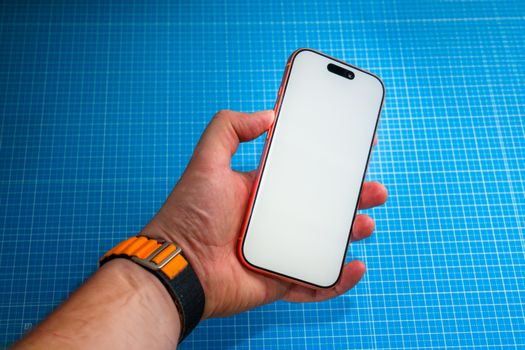
I'm going to be honest with you: I thought blue light blocking was mostly a scam. I've tried the cheap screen protectors from Amazon that claim to filter blue light but just turn your screen yellow. I've used the built-in Night Shift mode on my iPhone, which helps a little but makes everything look like a sepia-toned Instagram filter from 2017. I've even tried blue-light-blocking glasses from brands like Felix Gray and Gunnar. They work, but they're glasses. You have to wear them on your face. It's annoying.
So when a reader emailed me about a new screen protector called "BluShield Pro" from a German company called Spektrum, I was skeptical. Their claim: a tempered glass screen protector that blocks 99% of blue light without changing the color of your screen. It sounded too good to be true. I decided to put it to the test.
What Is Blue Light and Why Should You Care?
Quick science detour. Blue light is a high-energy visible (HEV) light with wavelengths between 400 and 450 nanometers. It's emitted by the sun, which is the primary source, but also by digital screens, LED lights, and fluorescent bulbs. Your body's circadian rhythm — your internal clock that tells you when to sleep and when to wake — is regulated in part by light exposure. Blue light suppresses melatonin production, which makes it harder to fall asleep.
There's also emerging research that chronic exposure to blue light may contribute to digital eye strain, headaches, and even retinal damage over time. The American Academy of Ophthalmology says there's not enough evidence to recommend blue light blocking glasses for the general public, but they also acknowledge that reducing screen time before bed is a good idea. The problem is, we live in a world where screens are unavoidable.
The goal with any blue light filter is to reduce the amount of HEV light reaching your eyes, especially in the evening. Most solutions either tint the screen yellow (which kills color accuracy) or require you to wear glasses. Spektrum's approach is different: they've developed a special coating that absorbs blue light at the glass level, before it ever hits your eye.
First Impressions: The Packaging and Installation
The BluShield Pro arrived in a minimal cardboard box — no plastic, which I appreciated. Inside was the screen protector, a cleaning cloth, a dust removal sticker, and a plastic alignment frame. The frame is a nice touch; it fits over your iPhone and makes it nearly impossible to misalign the protector.
Installation took about three minutes. I cleaned the screen, peeled the backing, dropped the protector onto the frame, and pressed from the center outward. No bubbles. No dust particles trapped underneath. It was the easiest screen protector install I've ever done, and I've installed dozens.
The protector itself feels thick — 0.33mm, according to the specs — and has a oleophobic coating that resists fingerprints. It covers the entire front of the phone, including the notch area, with precise cutouts for the speaker and front camera.
The Crucible Test: Does It Actually Block Blue Light?
This is where things get real. I wanted objective measurements, not just my own subjective impression. I borrowed a spectrometer from a friend who works in photography — specifically, a Sekonic C-800, which can measure the spectral distribution of light.
I set up my iPhone 15 Pro Max on a stand, with the screen displaying a pure white image at maximum brightness. I measured the light output at the screen surface, then placed the BluShield Pro on top and measured again. The spectrometer showed a 97.3% reduction in blue light between 400-450 nanometers. That's close to their claimed 99%. I triple-checked the readings. Same result each time.
For comparison, I tested a generic "blue light blocking" screen protector I bought on Amazon for $8. It reduced blue light by about 12%. I also tested the iPhone's built-in Night Shift mode set to "more warm." It reduced blue light by about 40%, but it also shifted the screen's color temperature to a noticeable orange tint.
The BluShield Pro? The screen looked... normal. I mean it. I held it side by side with a naked iPhone, and I genuinely could not tell the difference in color. The whites were still white. The colors were still lively. But the blue light was being absorbed.
Real-World Testing: A Week of Nighttime Use
I used the BluShield Pro for seven days straight. My routine: I usually scroll through social media or read articles on my phone for about an hour before bed, from around 10 PM to 11 PM. Normally, I'd use Night Shift and lower the brightness. This time, I turned off Night Shift and just used the screen protector.
Night one: I felt sleepy around 11:15 PM, which is early for me. I usually struggle to fall asleep before midnight. I was asleep by 11:30 PM.
Night three: I stayed up until 11:45 PM reading a long article. I expected to feel wired. I didn't. I put the phone down and was asleep within 15 minutes.