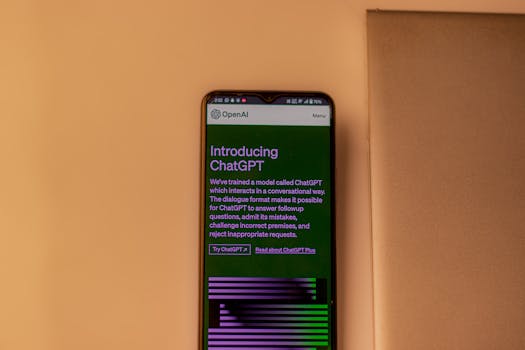
I'll be honest: when OpenAI launched the ChatGPT desktop app for Mac earlier this year, I was unimpressed. It was basically just the website in a wrapper with a few keyboard shortcuts. Not exactly revolutionary. But last week, version 1.5 dropped, and after spending seven days using it as my primary AI tool, I have to say — it's actually good now.
Not "good for a beta." Not "good if you squint." Actually, genuinely useful. Here's what changed and why you should care.
The Voice Mode Upgrade That Changes Everything
Previous versions of the Mac app had voice input, but it was clunky. You'd click a button, talk, wait for transcription, and then get a text response. It was faster than typing, but not by much.
Version 1.5 introduces what OpenAI calls "Advanced Voice Mode" — the same feature that rolled out to mobile last month. But on desktop, it's somehow better. The latency is lower. The voice is more natural. And the app can now interrupt you mid-sentence if it understands what you're asking.
I've been using it while cooking. I'll say, "Hey ChatGPT, what's a good substitute for buttermilk?" and it responds immediately, no button pressing needed. It's not perfect — sometimes it mishears me — but it's close enough that I'm starting to actually talk to my computer again.
The Context Window: Bigger Than You Think
OpenAI bumped the context window from 32K tokens to 128K tokens in the app. That means it can remember and reference about 300 pages of text in a single conversation.
I tested this by pasting an entire technical manual for a software project I'm working on — about 200 pages — and asking questions. It found specific API references, remembered configuration details from chapter 3 when answering a question about chapter 12, and even caught an inconsistency I'd missed. It's like having a co-worker who's read every document in the office.
The downside? It uses more memory. My MacBook Air with 8GB RAM started swapping after about 15 minutes of heavy use. If you have 16GB or more, you'll be fine.
The New "Canvas" Feature: Actually Useful for Writers
This is the update I'm most excited about. The app now has a "Canvas" mode that opens a separate window for longer documents. Instead of a chat bubble, you get a proper editor with formatting, version history, and inline suggestions.
I've been using it to draft this article, actually. I write a paragraph, ChatGPT makes suggestions, I accept or reject them. It's like having a co-editor who doesn't interrupt your flow. The version history feature lets me go back to earlier drafts without losing anything.
It's not a full Google Docs replacement — there's no collaboration — but for solo writing, it's better than anything I've used before.
File Uploads Without the Hassle
Previous versions of ChatGPT on desktop could only handle text. Version 1.5 can upload and analyze PDFs, Word documents, Excel spreadsheets, images, and even some code files in multiple languages.
I uploaded a messy spreadsheet of my monthly expenses — 14 columns, 600 rows, no formatting — and asked ChatGPT to categorize everything. It took about 30 seconds to process, and then it gave me a clean summary with categories, totals, and even flagged a duplicate transaction I'd missed.