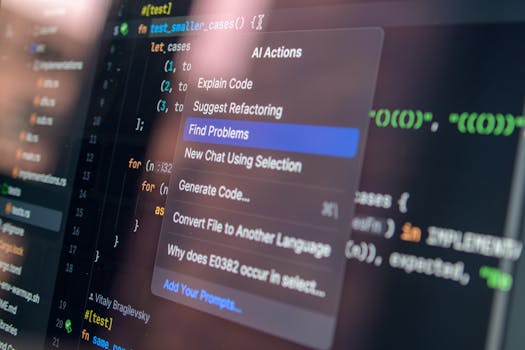
If you write code for a living, you've probably noticed that the past two years have been weird. AI coding assistants went from 'interesting toy' to 'I can't work without this' faster than any tech shift I've seen. But here's the problem: there are now at least a dozen options, and every company claims theirs is the best. GitHub Copilot says it's the most popular. Cursor says it's the most advanced. Codeium says it's the most affordable. Amazon Q says it's the most secure. Who do you trust?
I decided to find out. For the month of June 2026, I built a full-stack web application — a task management app with a React frontend, Node.js backend, and PostgreSQL database — using each of the five major AI coding assistants. I timed myself, tracked code quality, and noted how often I had to fix the AI's mistakes. Here's what I learned.
GitHub Copilot: Still the King of Autocomplete
GitHub Copilot, now on version 2.5, is the most polished experience. The inline completions are fast — like, scarily fast. When I type a function name, Copilot predicts the entire body before I finish typing. For boilerplate code (API routes, database queries, CSS classes), it's nearly perfect. I'd say 80% of its suggestions are usable without edits.
But Copilot struggles with context. If I'm working on a complex algorithm — say, a custom sorting function — it sometimes suggests code that looks right but has subtle bugs. Off-by-one errors in loops. Incorrect variable names. It's fine for simple stuff, but for complex logic, you need to read every line carefully. The chat feature (Copilot Chat) is decent, but not as good as Cursor's. Copilot's real strength is speed. It doesn't interrupt your flow. It just completes your lines.
Verdict: Best for experienced developers who want to type less. $10/month for individuals, $19/month for businesses.
Cursor: The New Standard for AI-Native IDEs
Cursor is not just a plugin — it's a fork of VS Code that bakes AI into everything. And it shows. The 'Composer' feature, which lets you describe a feature in natural language and have Cursor build the entire file, is transformative. I told it: 'Create a React component that displays a list of tasks with a checkbox to mark them complete, and a delete button.' In 10 seconds, I had a working component with proper state management, styling, and error handling. I didn't write a single line.
But here's the catch: Cursor sometimes generates too much code. It adds features I didn't ask for. It imports libraries I don't need. I spent about 15% of my time cleaning up its over-engineering. Still, the raw productivity gain is undeniable. For prototyping, Cursor is unmatched. For production code, you need to be vigilant.
Verdict: Best for prototyping and junior developers. $20/month.
Codeium: The Underdog That's Catching Up
Codeium has always been the 'free alternative' to Copilot. But in 2026, it's not just free — it's genuinely good. The latest version, Codeium X, uses a model trained on more permissive licenses, which means less legal risk for enterprise users. The completions are slightly slower than Copilot's, but the quality is close. I'd say 70% of suggestions are usable.
Codeium's big advantage is its 'search' feature. It indexes your entire codebase and lets you ask natural language questions: 'Where did I define the user authentication function?' It found it instantly. That's incredibly useful for large projects. The free tier is generous — 200 completions per day — enough for hobbyists. The paid tier ($15/month) is unlimited.