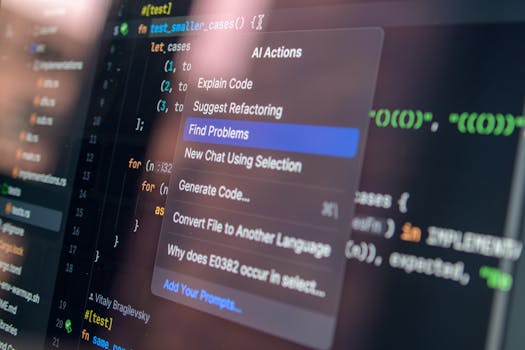
Let me start with a confession: I'm one of those developers who was convinced AI coding assistants were overhyped. I've been writing code for fifteen years, and I didn't think a language model could help me with the kind of complex, nuanced problems I deal with daily. But then my co-founder challenged me to put my money where my mouth was and actually test the major players side by side.
So I did. I spent the week of May 19-25, 2026, building a real, production-level project using eight different AI coding assistants. The project? A simple but functional web app that tracks personal finances—something I'd normally build in a couple of days. The twist: I could only use each AI for one day, and I had to start fresh each time. No reusing code from previous days. No looking at what other AIs generated.
The results were... not what I expected. Some tools that I'd dismissed as toys actually blew me away. And one that I'd recommended to junior developers? It was so bad I couldn't finish the day. Here's my honest ranking, from worst to best.
8. CodeWhisperer (Amazon) — The Also-Ran
I wanted to like CodeWhisperer. Amazon has the resources, the data, the talent. But this tool feels like it's stuck in 2023. The completions are basic—think "let x = 5" level—and it has no understanding of the broader context of your codebase. I spent more time deleting its suggestions than accepting them.
The worst part is the code quality. CodeWhisperer kept generating functions that didn't handle edge cases, had inconsistent naming conventions, and occasionally didn't even compile. For a tool that's supposed to make you faster, it made me slower. I gave up after three hours and finished the day manually.
Verdict: Skip it. There's no reason to use this over free alternatives.
7. Blackbox AI — The Newcomer That Needs Work
Blackbox AI has been getting some buzz on Twitter, so I was curious. It's a VS Code extension that aims to be a more lightweight alternative to Copilot. The promise is appealing: AI help without the heavy resource usage.
In practice, it's fine for basic stuff and frustrating for anything complex. It did okay with boilerplate code—setting up routes, defining models, that sort of thing. But when I asked it to implement a multi-currency transaction system with proper rounding and exchange rate handling, it generated code that was technically correct but had logical bugs that would have caused silent financial errors.
The real problem is that Blackbox AI doesn't understand your project structure. It treats each file in isolation, so it can't make connections between different parts of your code. That's a dealbreaker for anything beyond a simple script.
Verdict: Useful for beginners learning syntax. Not ready for production work.
6. Google Gemini Code Assist — The Underwhelming Contender
Google's entry into the AI coding space should be terrifying to competitors. They have Gemini, they have the infrastructure, and they have years of search data. But Code Assist feels like a product built by a committee that never actually talked to developers.
The interface is clunky. The completions are slow—I'm talking 2-3 second delays for inline suggestions. And the accuracy is middling. It handled simple CRUD operations fine but struggled with anything involving state management or async logic. On day two, it suggested a solution that would have created a race condition in my database queries. That's not just unhelpful—it's dangerous.
Verdict: Google can do better. Wait for the next version.
5. Replit Agent — The Dark Horse
Replit's AI agent is different from everything else on this list because it's not just a code completion tool—it's a full-fledged assistant that can scaffold entire projects from a natural language description. I asked it to build the finance app from scratch, and it generated a complete, working prototype in about 10 minutes.
Was the code perfect? No. It used a weird folder structure, had some overly verbose comments, and the styling was ugly. But it worked. The transactions were saved. The balance was calculated correctly. For a first pass, it was genuinely impressive.
The problem is that it's hard to iterate on. Once the AI generates the initial code, refining it requires either going back to the chat or manually editing. There's no inline suggestion feature. So it's great for prototyping but not great for ongoing development.